> For the complete documentation index, see [llms.txt](https://docs.maestro.dev/llms.txt). Markdown versions of documentation pages are available by appending `.md` to page URLs; this page is available as [Markdown](https://docs.maestro.dev/examples/recipes/custom-scrolling-for-screen-fragments.md).
# Custom scrolling for screen fragments
Scroll to elements inside fragments using custom swipe logic when scrollUntilVisible fails on partial screens.
Maestro’s native [`scrollUntilVisible`](/reference/commands-available/scrolluntilvisible.md) is a powerful tool, but it works in a specific way:
1. Checks for the element defined by the selector.
2. Swipe up from the center of the screen.
3. Return to step 1.
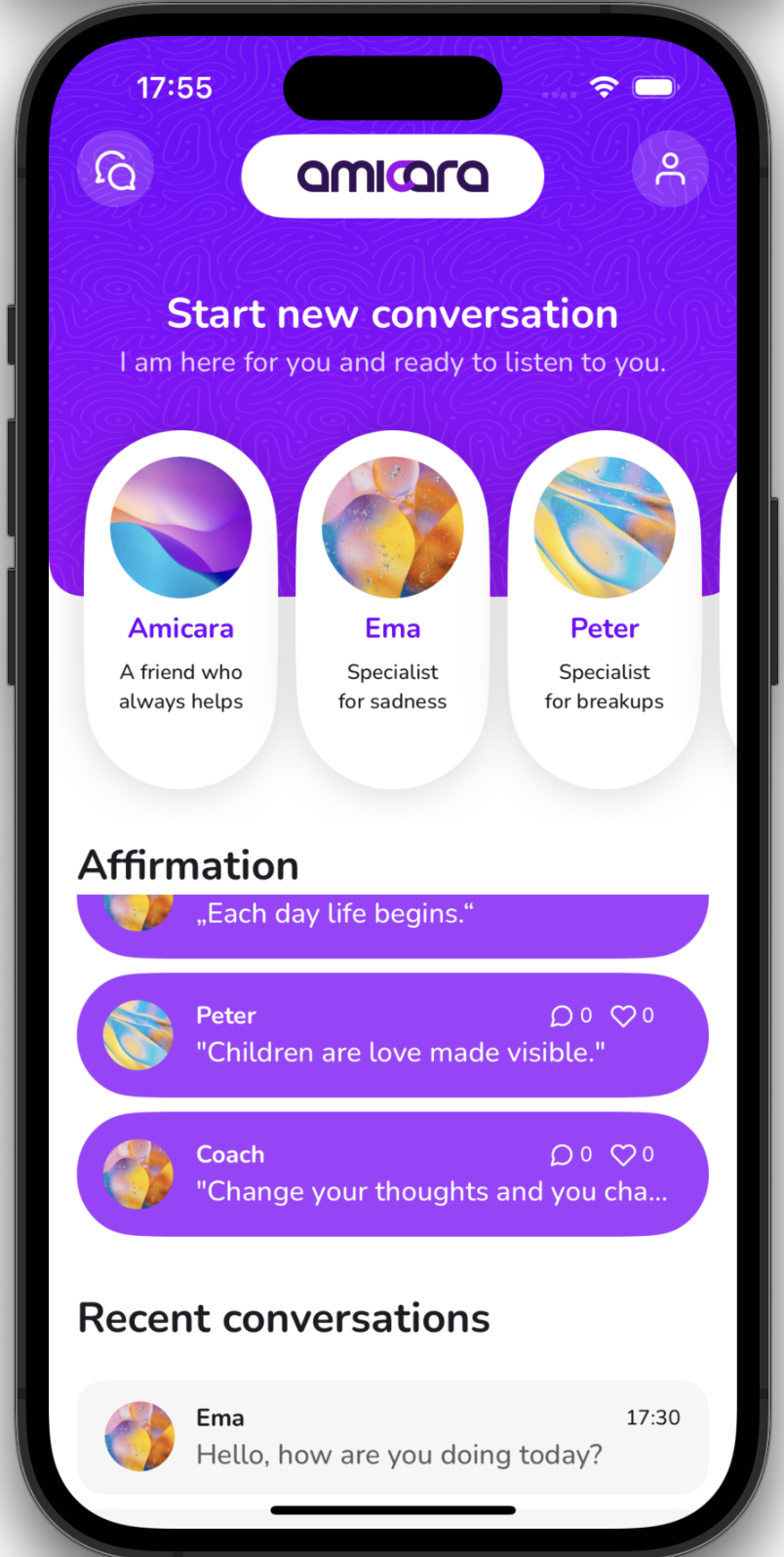
While this works for most full-screen lists, it fails in apps where only a specific part of the screen is scrollable, such as a bottom sheet, a small side-scrolling widget, or a fragmented UI where the top half is static. If the center of your screen isn't scrollable, the native command will simply tap a static element repeatedly.
This recipe shows you how to build a scrolling logic that swipes exactly where you need it to.
{% hint style="info" %}
#### **Credits**
This issue was first reported by the developers at Amicara. Their team was instrumental in helping create this solution to overcome difficulties scrolling through complex, fragmented layouts.
{% endhint %}
### The workflow
To bypass the center-swipe limitation, we recreate the scrolling logic manually using a loop. Instead of letting Maestro decide where to swipe, we define specific screen coordinates to ensure the swipe happens within the scrollable container.
#### 1. Reusable scroll Flow
This subflow (e.g., `scroll_fragment.yaml`) receives the `TARGET_ID` from the parent Flow. It continues to swipe in a restricted area of the screen until the target element is discovered.
```yaml
# scroll_fragment.yaml
# Custom scrolling for targeted screen areas
# Required Env: TARGET_ID (The resource id of the element to find)
# Step 1: Initialize the state
# Use a flag to track if we've found our target yet
- evalScript: ${output.foundElement = 0}
# Step 2: Immediate check
# Before we start moving, let's see if the element is already there
- runFlow:
when:
visible:
id: "${TARGET_ID}"
commands:
- evalScript: ${output.foundElement = 1}
# Step 3: The targeted loop
# We continue swiping in the bottom region until foundElement becomes 1
- repeat:
while:
true: ${output.foundElement == 0}
commands:
# We swipe from 90% down the screen to 75% down the screen.
# This keeps the interaction strictly within the bottom fragment.
- swipe:
start: 50%, 90%
end: 50%, 75%
# Check again after the movement
# If the element is visible, we stop the loop
- runFlow:
when:
visible:
id: "${TARGET_ID}"
commands:
- evalScript: ${output.foundElement = 1}
```
This implementation gives you full control over the scroll mechanics. In the `swipe` command, using percentages such as 90% and 75% ensures consistent behavior across different device sizes. By targeting the lower portion of the screen, you avoid accidentally interacting with static headers or non-scrollable hero sections. Additionally, the search flag (`${output.foundElement}`) acts as a bridge between the `runFlow` step, which checks visibility, and the `repeat` loop, which controls the scrolling action.
{% hint style="success" %}
#### Adapt it to your needs
If the static area differs in your app, adjust the swipe command configuration to suit your needs.
{% endhint %}
{% hint style="success" %}
#### Preventing infinite swiping
While not shown in this basic snippet, you can easily add a counter to the `repeat` loop to throw an error if the element isn't found after 10 or 20 swipes, preventing your test from hanging indefinitely.
{% endhint %}
#### 2. Implementation
To use this helper in your main Flow, call it with `runFlow` and pass the `TARGET_ID` of the element you need to find as an environment variable.
```yaml
# main_test.yaml
- tapOn: "Open Settings"
# Find a specific setting at the bottom of a scrollable fragment
- runFlow:
file: ../utils/scroll_fragment.yaml
env:
TARGET_ID: "logout_button"
# Once the subflow finishes, the element is confirmed visible
- tapOn:
id: "logout_button"
```
### Related content
Explore the following documentation pages if some of the concepts used in this recipe are not clear for you:
* [swipe](/reference/commands-available/swipe.md): Learn how to use coordinates, durations, and percentages to move around the screen.
* [Loops](/maestro-flows/flow-control-and-logic/loops.md): Understand the difference between looping a fixed number of times vs. looping based on a condition.
---
# Agent Instructions
This documentation is published with GitBook. GitBook is the documentation platform designed so that both humans and AI agents can read, navigate, and reason over technical content effectively. Learn more at gitbook.com.
## Querying This Documentation
If you need additional information that is not directly available in this page, you can query the documentation dynamically by asking a question.
Perform an HTTP GET request on the current page URL with the `ask` query parameter, and the optional `goal` query parameter:
```
GET https://docs.maestro.dev/examples/recipes/custom-scrolling-for-screen-fragments.md?ask=&goal=
```
`ask` is the immediate question: it should be specific, self-contained, and written in natural language.
`goal` is optional and describes the broader end goal you are ultimately trying to accomplish on behalf of the user. GitBook uses it to tailor the answer towards what is most useful for that goal.
The response will contain a direct answer to the question and relevant excerpts and sources from the documentation.
Use this mechanism when the answer is not explicitly present in the current page, you need clarification or additional context, or you want to retrieve related documentation sections.