> For the complete documentation index, see [llms.txt](https://docs.maestro.dev/llms.txt). Markdown versions of documentation pages are available by appending `.md` to page URLs; this page is available as [Markdown](https://docs.maestro.dev/maestro-flows/workspace-management/ai-test-analysis.md).
# AI test analysis
Use AI-powered analysis to understand test failures and improve test coverage.
{% hint style="warning" %}
This is an experimental feature powered by LLM technology. We appreciate your feedback as we continue improving it.
{% endhint %}
Maestro provides an AI-powered analysis layer that goes beyond simple "pass/fail" results. By using the `--analyze` flag and custom AI commands, Maestro examines your test logs, command metadata, and screenshots to provide actionable insights into your app's functionality, UI polish, and internationalization.
### Authentication
Because AI commands are processed through the Maestro infrastructure, you must authenticate with the Maestro Cloud backend.
* **Account Requirement**: Users need a Maestro Cloud account to use AI features.
* **Plan Support**: A free account is sufficient to enable AI commands; it does not require a paid Maestro Cloud plan. Note that while AI commands are enabled on a free account, running tests on Maestro Cloud itself still requires a Cloud Plan.
* **Login Methods**:
* **CLI/Studio**: Running `maestro login` establishes an authentication session shared between the Maestro CLI and Maestro Studio. Logging into one automatically authenticates you for both.
* **Environment Variable**: Alternatively, you can export your Maestro Cloud API key as an environment variable:
```shellscript
export MAESTRO_CLOUD_API_KEY=
```
{% hint style="info" %}
#### AI usage in Maestro
Maestro has updated how AI features are provided. Users no longer need to "bring their own AI" by providing external service keys or selecting specific models.
* **Managed Model**: All AI commands are now routed directly through Maestro Cloud.
* **Automatic Configuration**: Environment variables like `MAESTRO_CLI_AI_KEY` and `MAESTRO_CLI_AI_MODEL` are no longer used. Maestro automatically manages the underlying third-party AI providers to ensure the best performance.
{% endhint %}
### Ways to use AI
Maestro provides two main ways to use AI to evaluate your app.
#### Automated analysis
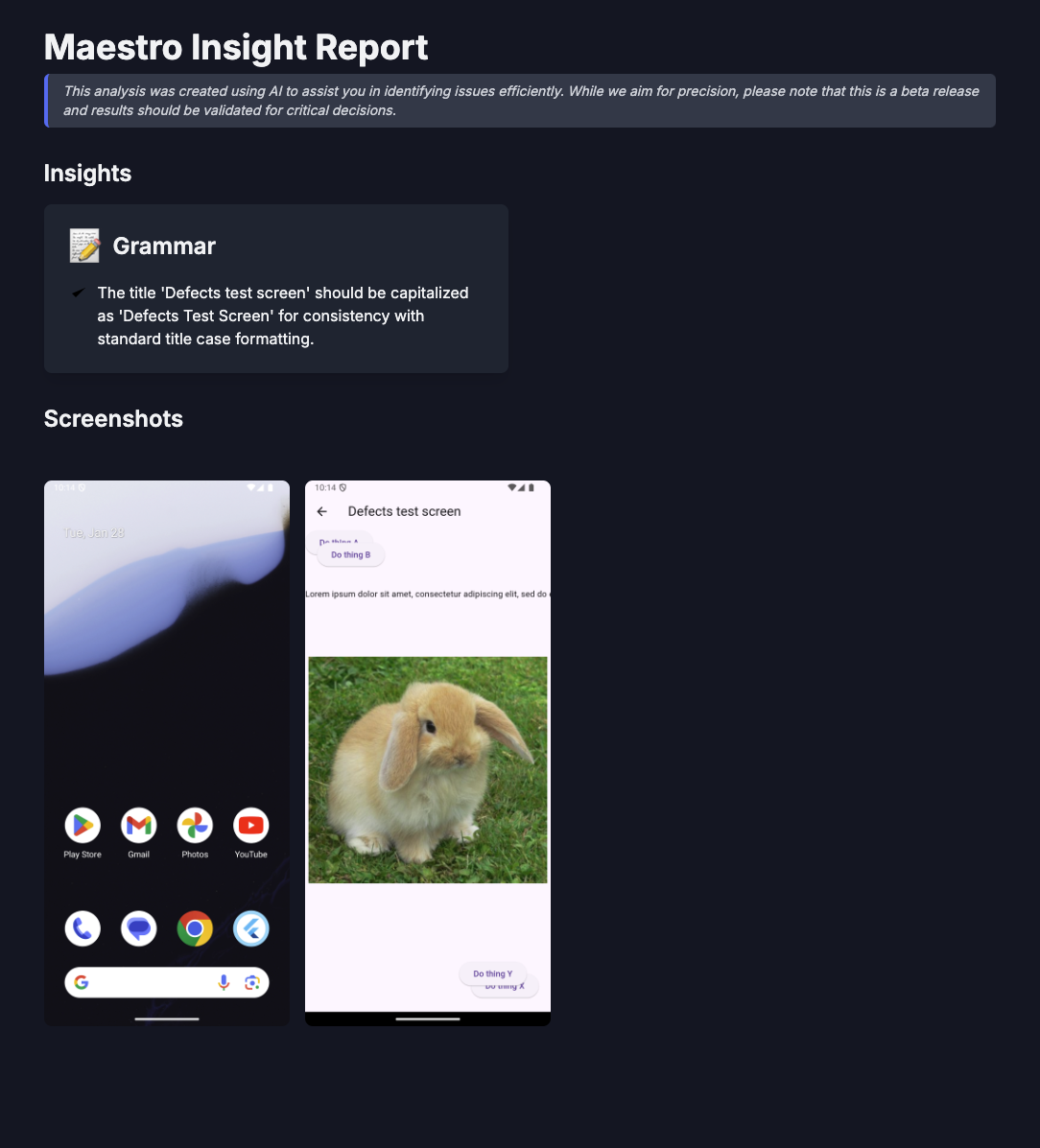
Use the `--analyze` flag to generate a comprehensive Insights Report that identifies UI regressions, spelling errors, and layout breaks.
```bash
maestro test login_flow.yaml --analyze
```
If Maestro detects any issues, it will compile a report as an HTML file and display a link to the report in the terminal.
```bash
🔎 Analyzing Flow(s)...
To view the report, open the following link in your browser:
file:///path/to/your/insights-report.html
Analyze support is in Beta. We would appreciate your feedback in our Slack channel: #community-chat
```
If your app is in great shape, you'll see a success message:
```bash
Hey, we analyzed your flow for spelling, grammar, and internationalization issues, and good news 🙌 we didn't find any issues!
```
#### **AI-powered assertions**
You can integrate AI directly into your YAML Flow logic using specialized commands:
* [`assertWithAI`](/reference/commands-available/assertwithai.md): Verify complex UI states using natural language (e.g., "Verify the user is shown a success message in Spanish").
* [`assertNoDefectsWithAI`](/reference/commands-available/assertnodefectswithai.md): Perform a visual audit of the current screen to find common UI issues.
#### Disable analysis notifications
If you want to prevent the `Analyzing Flow...` notification from appearing in your terminal output (e.g., in a clean CI log), you can set an environment variable:
```bash
export MAESTRO_CLI_ANALYSIS_NOTIFICATION_DISABLED=true
```
### Next steps
Learn more about specific assertions in the [`assertWithAI`](/reference/commands-available/assertwithai.md) and [`assertNoDefectsWithAI`](/reference/commands-available/assertnodefectswithai.md) command reference pages.
---
# Agent Instructions
This documentation is published with GitBook. GitBook is the documentation platform designed so that both humans and AI agents can read, navigate, and reason over technical content effectively. Learn more at gitbook.com.
## Querying This Documentation
If you need additional information that is not directly available in this page, you can query the documentation dynamically by asking a question.
Perform an HTTP GET request on the current page URL with the `ask` query parameter, and the optional `goal` query parameter:
```
GET https://docs.maestro.dev/maestro-flows/workspace-management/ai-test-analysis.md?ask=&goal=
```
`ask` is the immediate question: it should be specific, self-contained, and written in natural language.
`goal` is optional and describes the broader end goal you are ultimately trying to accomplish on behalf of the user. GitBook uses it to tailor the answer towards what is most useful for that goal.
The response will contain a direct answer to the question and relevant excerpts and sources from the documentation.
Use this mechanism when the answer is not explicitly present in the current page, you need clarification or additional context, or you want to retrieve related documentation sections.